The CMS for you and your agent
EmDash is the spiritual successor to WordPress: an open source, agent-ready, full-stack CMS for Astro
npm create emdash@latest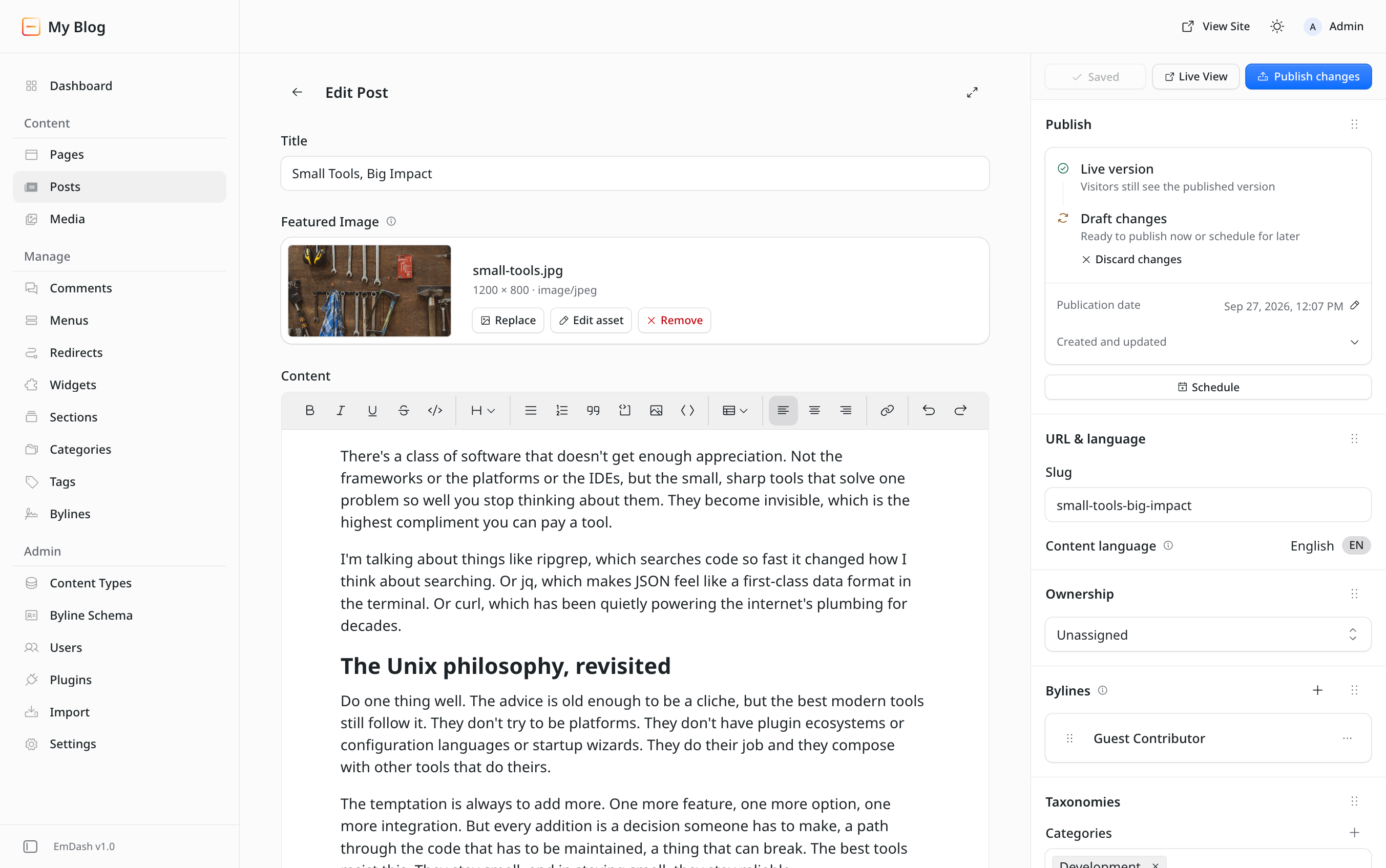
Capabilities
Build your site today
EmDash combines with Astro to create one end-to-end TypeScript CMS and frontend
The Astro-native CMS
First-class Astro integration. Define content types in the admin, get TypeScript types generated from your schema, and render every entry on the server from structured JSON.
Title
titleExcerpt
excerptContent
contentAdd fieldModelFields defined in the admin
Title
Small tools, big impact
Content
The best tools do one thing well.
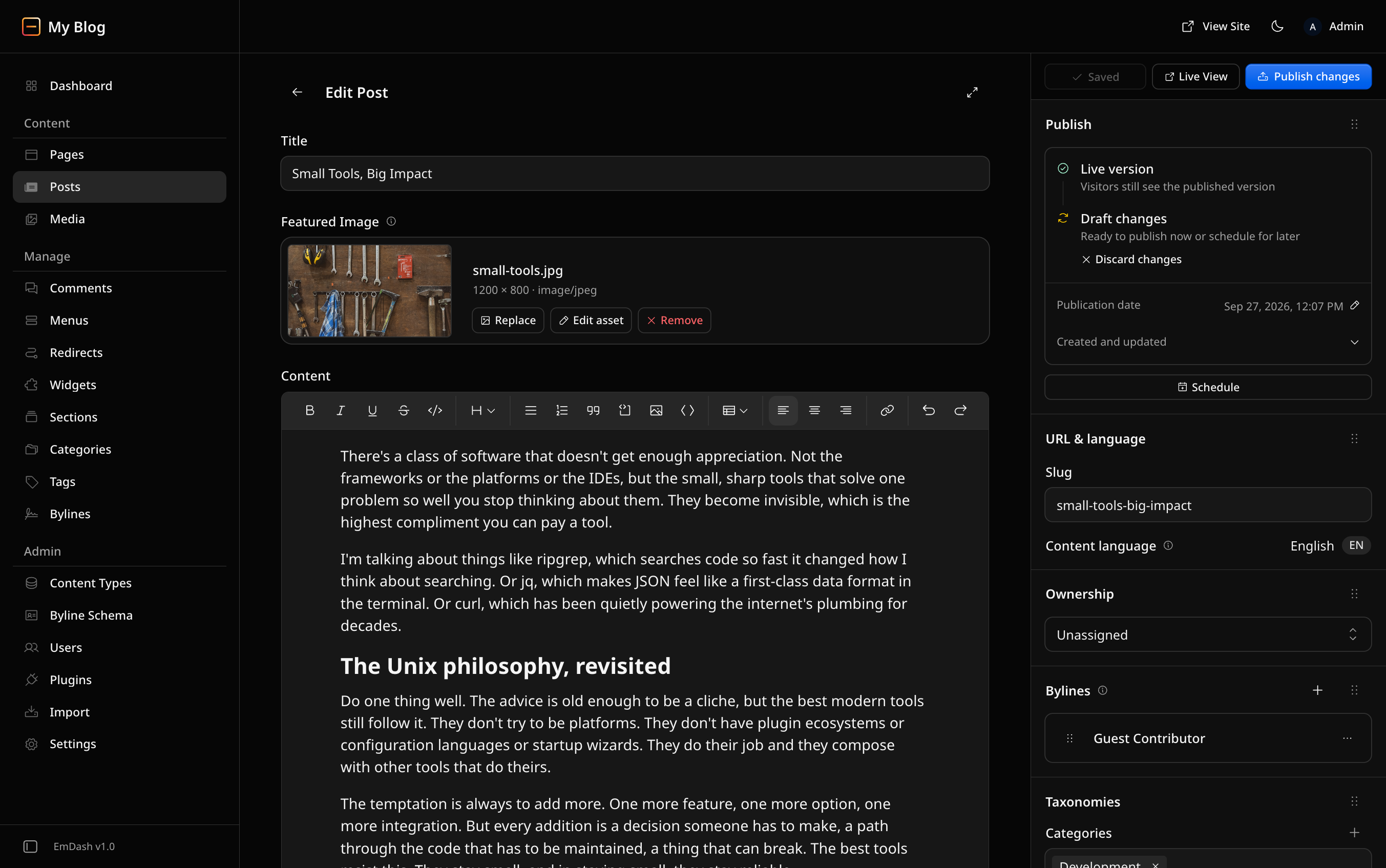
PublishEditDrafts, revisions, and preview
- 21
export interface Post {22id: string;23slug: string | null;24status: string;25title: string;26excerpt?: string;27content?: PortableTextBlock[];28featured_on_homepage?: boolean;29featured_pill_text?: string;30featured_pill_tag?: string;TypeTypes generated from your schema
Small tools, big impact
Notes on building software that does less, and does it well.
The best tools do one thing well.
RenderAstro pages via
getEmDashEntry()
A spiritual WordPress successor
Everything you love about WordPress in a fast, modern admin. Pages, posts, media, menus, widgets, and taxonomies are where you expect them, and the built-in importer brings your content over.
Content
Manage
export.xml2.4 MB- Posts and pages128
- Media files342
- Categories and tags36
Drafts, revisions, and scheduling
Edit drafts while the live page stays untouched. Restore earlier revisions, schedule publishing, and share preview links before anything goes live.
Mar 12
Published
Yesterday
Revision saved
Just now
Draft saved
Publish
Live versionVisitors still see the published version
Draft changesReady to publish now or schedule for later
Built with agents in mind
Every site ships with an MCP server. Connect Claude, Codex, Cursor, or any MCP client to draft, edit, search, and schedule content with the same permissions as your team. Scripts get the same through the REST API and CLI.
- Codex
- Cursor
- Claude
- OpenCode
- Any MCP client
Draft a summer sale post for June 1 at 9 AM.
3 tool calls
searchcontent_createcollection: "posts"data: { title: "Summer sale starts June 1" }content_scheduleSummer sale starts June 1Scheduled for Jun 1, 9:00 AM
Extend with plugins
Add your own block types, admin pages, hooks, storage, and API routes in TypeScript. Every section on this page is a block from this site’s own plugin.
{ type: "marketing.capabilities", label: "Capabilities", description: "Feature bento with illustrations", // Only the header is editable. Card copy lives in Capabilities.astro, // next to the illustration it describes. fields: [ {Plugins without the security nightmare
Plugins you install from the admin run in their own isolated sandbox. They see no environment variables or filesystem, and get only the capabilities they declare and you approve.
No access
- Environment variables
- Filesystem
- Other plugins’ storage
- Undeclared hosts
What people are saying
"The entire functionality of WordPress, and then some."
"The most interesting thing to happen to content management in years."
"Getting from zero to a basic design is fast. I mean, really fast."
Frequently asked questions
What is EmDash?
EmDash is an open source CMS built on Astro from Cloudflare. It gives you a typed schema, a polished admin, and an MCP server so both humans and AI agents can manage your content.
How is it different from other CMSs like WordPress?
EmDash is a fully typescript full-stack CMS built on Astro. It has a lot of similarities to popular CMSs like WordPress, but improves on its security posture by eliminating the risk that comes with its plugin ecosystem. EmDash will support a new plugin ecosystem based on secure execution context and scoped permissions, making sure your plugins can't damage your site.
Do I need to use AI to use EmDash?
No! EmDash is a great CMS whether you run it with AI agents or not. Where EmDash excels is in shipping a Model Context Protocol server that exposes content, schema, media, taxonomies, menus, and revisions. Drop it into Claude, OpenCode, or any MCP-aware tool and it just works. Suddenly things that were a chore in other CMSs can be sent off as work for your agent to do.
How do I get started?
Open the playground for an instant sandbox, or run npm create emdash to scaffold out a new project on your local computer ready for deployment.
Where can I ask questions?
Join the Discord to chat with the team and community, or open an issue on GitHub. The docs cover setup, architecture, and the full API reference.